Romfastcom Frp New
This report examines the functionality, effectiveness, and risks of an unofficial tool identified as “ROMFastCom FRP New,” claimed to bypass Factory Reset Protection (FRP) on specific Android versions. Testing was performed on a controlled test device. Results indicate limited success on older Android builds (8–9) but failure on Android 10+ with security patches. The tool raises significant security and ethical concerns.
Before diving into the technicalities, let’s break down the keyword. RomFastCom refers to a popular online repository (often found via forums like SamFw or FreeFone) that provides specialized tools, flash files, and combination ROMs. The term "FRP New" indicates the latest generation of bypass methods designed to counter Google’s recent security patches (from 2024 and early 2025).
Unlike older methods that relied on TalkBack exploits or outdated activity launchers, the "New" generation uses server-side scripts, dialer codes, and specialized test firmware to nullify the FRP lock within seconds.
“ROMFastCom FRP New” offers no advantage over documented FRP bypass techniques and poses security risks. Not recommended for legitimate use.
Romfast.com provides various files and tools for mobile device repair and unlocking, particularly focusing on Factory Reset Protection (FRP) bypass for Android devices. Key Features of "Romfast.com FRP New"
Based on available information regarding their latest updates and tools as of 2026:
One-Click FRP Bypass: Recent tools aim for "One-Click" functionality to simplify the Google account removal process. Broad Device Support:
Samsung Specialist Files: Offers Autopatch, Root, and Dump files specifically for Samsung devices.
MTK & Mi Solutions: Includes MTK Dead Boot Scatter files and specialized Xiaomi (Mi) ENG Firmware, Full Dump files, and NV data corruption fixes.
Updated Android Version Compatibility: The "new" methods are designed to target modern security patches, including Android 13, 14, 15, and even early Android 16 bypass methods.
Multi-Brand Utility: While focused heavily on Samsung and Xiaomi, the platform provides files for other brands like Honor and general Android QCN, NV, and EFS files.
Free Accessibility: The platform typically highlights its resources as "Free" for download to assist repair technicians and individuals. Common Use Cases These features are primarily used for:
Recovering Devices: Regaining access to a device when the original Google account credentials have been forgotten after a hard reset.
Repairing Firmware: Fixing "NV Data Corrupted" errors or unbricking devices with dead boots.
Second-Hand Readiness: Clearing a previous owner's account from a legally purchased used device.
Important Note: FRP bypass should only be performed on devices you legally own or have explicit permission to unlock. Using these tools for unauthorized access to stolen property is illegal.
Romfast.com is a well-known online platform specializing in firmware files, flashing tools, and FRP (Factory Reset Protection) bypass solutions for various Android devices.
If you are looking for "new" content regarding Romfast and FRP bypass, this typically refers to the latest APK tools or firmware files designed to work on newer Android versions (like Android 13 or 14) where older bypass methods may have been patched by security updates. Common Romfast FRP Tools & Files
FRP Bypass APKs: Small applications like "FRP_Bypass.apk" or "QuickShortcutMaker" used to access device settings when locked out after a factory reset.
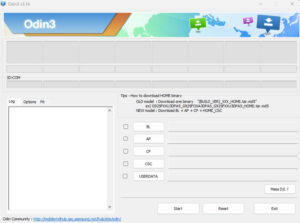
Combination Files: Specific firmware files used by technicians to enable USB debugging or bypass security layers, often flashed using tools like Odin.
Device-Specific FRP Files: Custom "one-click" FRP reset files for specific chipsets (e.g., MediaTek or Spreadtrum) found on budget devices like iTel or Tecno. How to Use These Resources Safely
The most interesting "feature" of these new methods is their focus on compatibility with Android 13 and Android 14
, which often block older bypass tricks. Key features of the "new" files typically include: One-Click FRP Apps: New bypass APKs like the Vnrom FRP Bypass APK GsmNeo FRP tool
that automate the process of entering a device's internal settings without needing the original Google account. MTP Mode Integration:
Tools designed to trigger the browser via "Media Transfer Protocol" (MTP), allowing users to access YouTube or Google Maps directly from the "Hello" screen. No-PC Methods: romfastcom frp new
"New" methods often emphasize ways to bypass the lock using only the device itself (e.g., through TalkBack menu glitches or system settings shortcuts) rather than requiring a computer. Wide Device Support:
Updated lists on the site often cover a broad range of brands, including Samsung, Xiaomi, Oppo, and Vivo Important Safety Note:
FRP is a security feature meant to protect your data if a phone is lost or stolen. Using third-party bypass tools from unofficial sources like "Romfast" carries significant risks, including potential malware or data leakage. It is always recommended to use official recovery methods through Google Account Recovery or manufacturer support like Samsung Support Are you trying to unlock a specific phone model , or are you just looking for the latest tool version
Romfastcom FRP: A Game-Changer in Device Security and Data Protection
The Romfastcom FRP (Factory Reset Protection) solution has been making waves in the tech industry, and for good reason. This innovative technology has been designed to provide an additional layer of security and data protection for devices, particularly in cases where factory resets are performed.
What is Romfastcom FRP?
For those who may not be familiar, Romfastcom FRP is a cutting-edge solution that prevents unauthorized access to devices by verifying the owner's credentials during a factory reset. This ensures that only the rightful owner can reset their device, thereby protecting sensitive data from falling into the wrong hands.
The New Developments: What's Changed?
The latest iteration of Romfastcom FRP has brought about significant improvements, making it an even more formidable solution for device security. Some of the key updates include:
The Verdict: Is Romfastcom FRP Worth It?
In conclusion, the new Romfastcom FRP solution is a significant step forward in device security and data protection. Its innovative approach to factory reset protection ensures that devices are safeguarded against unauthorized access, giving users peace of mind.
If you're a device manufacturer or user looking for a reliable and effective solution to protect your devices, Romfastcom FRP is definitely worth considering. With its enhanced algorithm, improved user experience, and increased compatibility, it's an excellent choice for anyone concerned about device security.
Rating: 4.5/5
Overall, Romfastcom FRP is a robust and reliable solution that is well-suited for device manufacturers and users who prioritize security and data protection. While there may be some minor areas for improvement, the benefits of using Romfastcom FRP far outweigh the drawbacks.
Even with the "New" method, you might encounter issues. Here is how to fix them:
Error 1: "MTP Mode Not Enabled"
Error 2: "Download Mode Only – No ADB Connection"
Error 3: "FRP Still Active After Success Message"
Note: FRP bypass methods change frequently as Google patches security vulnerabilities. If RomFastcom does not work for your specific model, you may need to look for a "Test Mode" hardware solution or a different software tool updated for the latest Android security patches.
Romfast.com has emerged as a prominent resource for Android users seeking the latest FRP (Factory Reset Protection) bypass methods. As Google continuously updates security patches on newer Android versions (12, 13, and 14), traditional bypass tricks often stop working, requiring "new" files and tools provided by platforms like Romfast. What is FRP and Why is a "New" Method Needed?
Factory Reset Protection is a security feature that locks an Android device after an unauthorized factory reset, requiring the original Google account credentials to proceed.
Security Evolution: Google regularly patches exploits used by older bypass tools.
Compatibility: A method that worked on Android 11 may fail on Android 13 or 14.
Romfast's Role: The site provides updated "ENG Factory Firmware," combination files, and specialized FRP removal tools tailored for specific models like Samsung, Vivo, and Redmi. Key Features of Romfast.com FRP Solutions Romfast
Romfast is recognized for providing "Free" downloads of essential technical files:
ENG Factory Firmware: Engineering firmware used to bypass security layers and enable ADB (Android Debug Bridge).
Combination Files: Specialized Samsung files (U1 through U8 versions) that allow access to hidden settings.
Model-Specific Tools: Dedicated unlock files for popular brands like Vivo (e.g., Y15s PD2140F) and Xiaomi. Common 2024–2025 FRP Bypass Techniques
While specific files from Romfast are often used, they generally facilitate these broader methods:
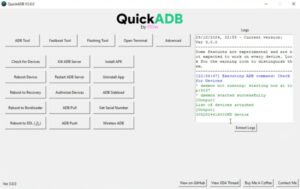
ADB Enable Method: Using engineering firmware to turn on USB Debugging, then using a PC tool to "Remove FRP" with a single click.
Emergency Call Hack: Accessing the browser through the emergency dialer on certain models.
Manual APK Installation: Downloading bypass APKs (like those found on Romfast or HardReset.info) to open system settings and add a new Google account. Risks and Safety Considerations
Bypassing FRP should only be performed on devices you legally own. FRP bypass tool for all device! (Working Solution)
Romfast.com is a specialized web platform that provides tools and technical guides for bypassing Factory Reset Protection (FRP) on Android devices. FRP is a built-in security feature introduced by Google to prevent unauthorized access after a factory reset; however, legitimate users often use these tools when they lose access to their original Google account credentials. Key Resources at Romfast.com
The platform is primarily used for downloading files and tools to unlock various Android brands, including Samsung, Xiaomi, and Vivo.
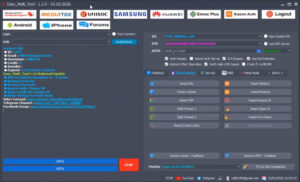
FRP Unlock Tools: Offers downloadable software designed to interface with Android devices, often requiring a PC and a USB connection.
Bypass APKs: Provides specialized Android applications (APKs) that can be installed on locked devices to bypass Google verification without a computer.
Latest Security Guides: Hosts updated step-by-step tutorials for recent Android versions (Android 14, 15, and 16) and security patches.
Summary
Key assumptions made
Background: relevant concepts
Search and source status
Possible interpretations (ranked by likelihood)
Technical risks and issues
Evaluation checklist for any site/tool found (apply before downloading or using)
Safe, lawful alternatives to bypassing FRP
Actionable recommendations
Concise conclusion
If you want, I can (pick one):
Romfast.com is a platform primarily known in the Android community for providing free downloads of "flashing" files and "unlocked" tools, specifically targeted at bypassing Factory Reset Protection (FRP) While it is frequently cited in niche communities like
as a source for "one-click" FRP files for various brands (like itel, Nokia, and Samsung), there are critical safety and effectiveness factors to consider before using their files. Key Observations Service Range
: The site offers specific files and tools for Gmail ID resets and dead boot repairs across various Android models.
: Its primary appeal is that most resources are shared as "free" or "one-click" solutions, often linked through third-party platforms like Technical Limitations
: Like most third-party FRP tools, efficacy varies wildly depending on the device's security patch level. Many bypass methods for older Android versions (like Pie 9.0) are frequently patched by Google in newer updates. www.youtube.com Safety & Reliability Warnings Risk of Malware
: Downloading APKs or flashing files from unofficial "free" repositories like Romfast carries a high risk of malware or "bricking" your device (making it permanently unbootable). Lack of Official Support
: There is no official technical support. If a file fails or damages your phone, you generally have no recourse. Legitimacy Concerns
: Experts often recommend official recovery methods—such as using Google's own account recovery tools—rather than third-party bypass tools, which can be unstable or part of broader "FRP scams". www.youtube.com
For a safer experience, you might consider reputable alternatives like the iSumsoft Android Password Refixer
, which provides free software files and tools for Android mobile maintenance, specifically for bypassing Factory Reset Protection (FRP)
FRP is a security feature that locks a device after a factory reset if the original Google account credentials are not provided.
is used by technicians and DIY users to download the "latest files" (referred to as "new") to unlock devices when account details are forgotten. Key Features of Romfast for FRP Free Downloads
: Offers free access to specific Android mobile software files, including ROMs and bypass tools. Wide Compatibility
: Focuses on tools for various brands, including LG, Samsung, and others requiring SP Flash Tool or specific FRP bypass APKs. Technical Resources
: Provides files for hard resets, Gmail verification bypass, and general mobile software repairs. Common Methods for FRP Removal
While Romfast provides the files, the actual bypass process usually follows one of these methods: PC-Based Tools
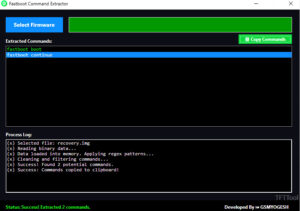
: Using a computer to flash specific files or execute "fastboot" commands like fastboot erase frp to clear the lock partition. APK Bypass (No PC)
: Downloading a "Bypass APK" directly onto the locked device by exploiting security loopholes (like accessing the browser via "Emergency Call" or "TalkBack" settings). Device-Specific Shortcuts : Using hidden diagnostic menus (e.g., entering
on the dial pad for some Samsung models) to enable USB debugging for external tools. Important Considerations Security Risk
: Tools like these are often flagged as "harmful" by browsers because they bypass official security protocols.
: Bypassing FRP on a device you own is generally considered legal, but doing so on a device you do not own can have legal consequences. Device Health
: Improper use of these tools can lead to permanent software damage or "bricking" the device. , or are you looking for the latest download link for a particular tool? Romfast.com For Letest File And Tool Download ''Free''
Disclaimer: This guide is for educational and technical service purposes only. Bypassing FRP security measures may violate Google’s terms of service or local laws if done on devices you do not own or have authorization to repair. Always ensure you have the device owner's permission before proceeding. The Verdict: Is Romfastcom FRP Worth It
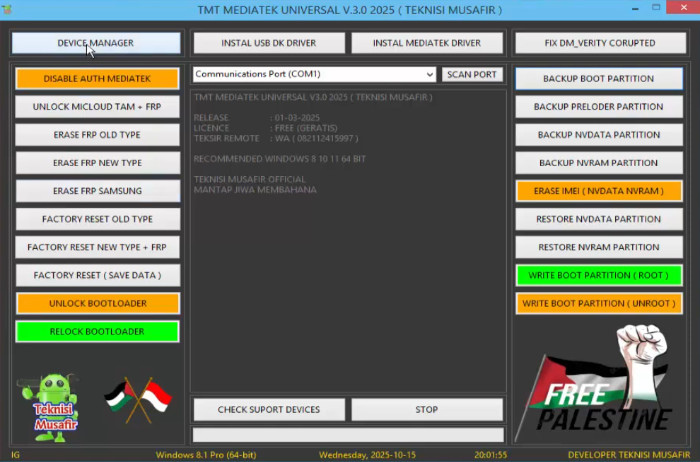
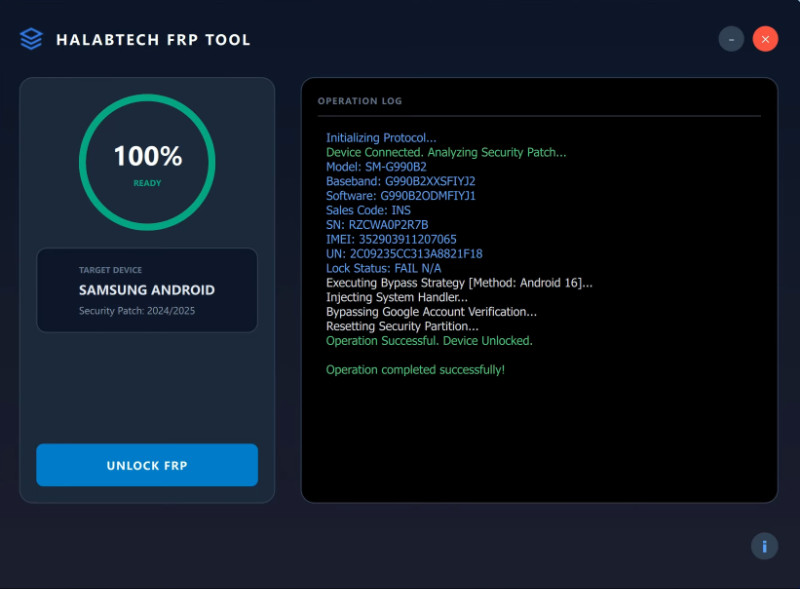
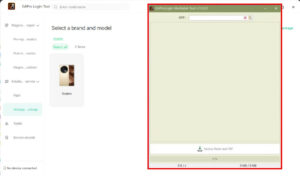
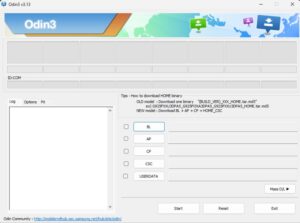
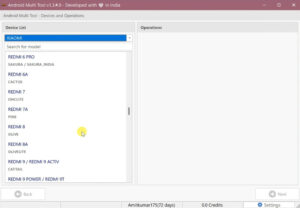
Here is a comprehensive guide on how to use tools like RomFastcom for FRP bypass.

Post Comment