
A modern, minimal, flexible, and easy-to-expand FreeBSD Jail manager built with love by experienced users for both neophytes and experts.
NOTE: This README is a complete guide. We’d like your help to write manual pages :)
Jailer is heavily under development and not yet ready for stable production use. The interface is subject to refinement and change, but you are more than welcome to use it and help us improve it with your invaluable feedback. It does not mean you cannot use it in production, though. Just beware that a lot might change in time.
However, that being said, we do use it in our production to manage servers and in our products.
Jailer is not in FreeBSD ports yet, you need to install it manually
git clone https://github.com/illuria/jailer
cd jailer
make installJailer is so much attached to ZFS and does not support UFS at this time (and most likely it will never do.) In case you are not using ZFS, you can create a ZFS pool by doing something like the following:
truncate -s 20G /usr/local/disk0.img
zpool create zroot /usr/local/disk0.imgCustom Jail Service file for FreeBSD < 14.0-RELEASE
At the moment we use a custom
rc.d/jailfile for FreeBSD < 14.0-RELEASE. Since 14.0-RELEASE, we use the.includefeature ofjail.conf.
Once the environment meets the basic requirements, Jailer initialization is required. all you need to do is the following:
jailer initHere’s how it looks like →
root@armbsd13:~ # jailer init
Jailer will create
 dataset     : zroot/jails
 mount point : /usr/local/jails
OK? (y/N) y
Creating ZFS dataset zroot/jails with the mount point /usr/local/jails: Done!
Setting jailer_dir in rc.conf: Done!
Enabling the jail service: Done!
Patching jail service for jail.conf.d support: Done!

You may run `jailer init info` to check system status
You may run `jailer init bridge` to setup advanced networking

Please report any problems at https://github.com/illuria/jailer/issues
The latest information about Jailer is available at https://jailer.dev/
Consider joining Jailer's worldwide community:
 https://github.com/illuria/jailer

Thank you for choosing Jailer!
Or, if you like colors, here’s a picture :)
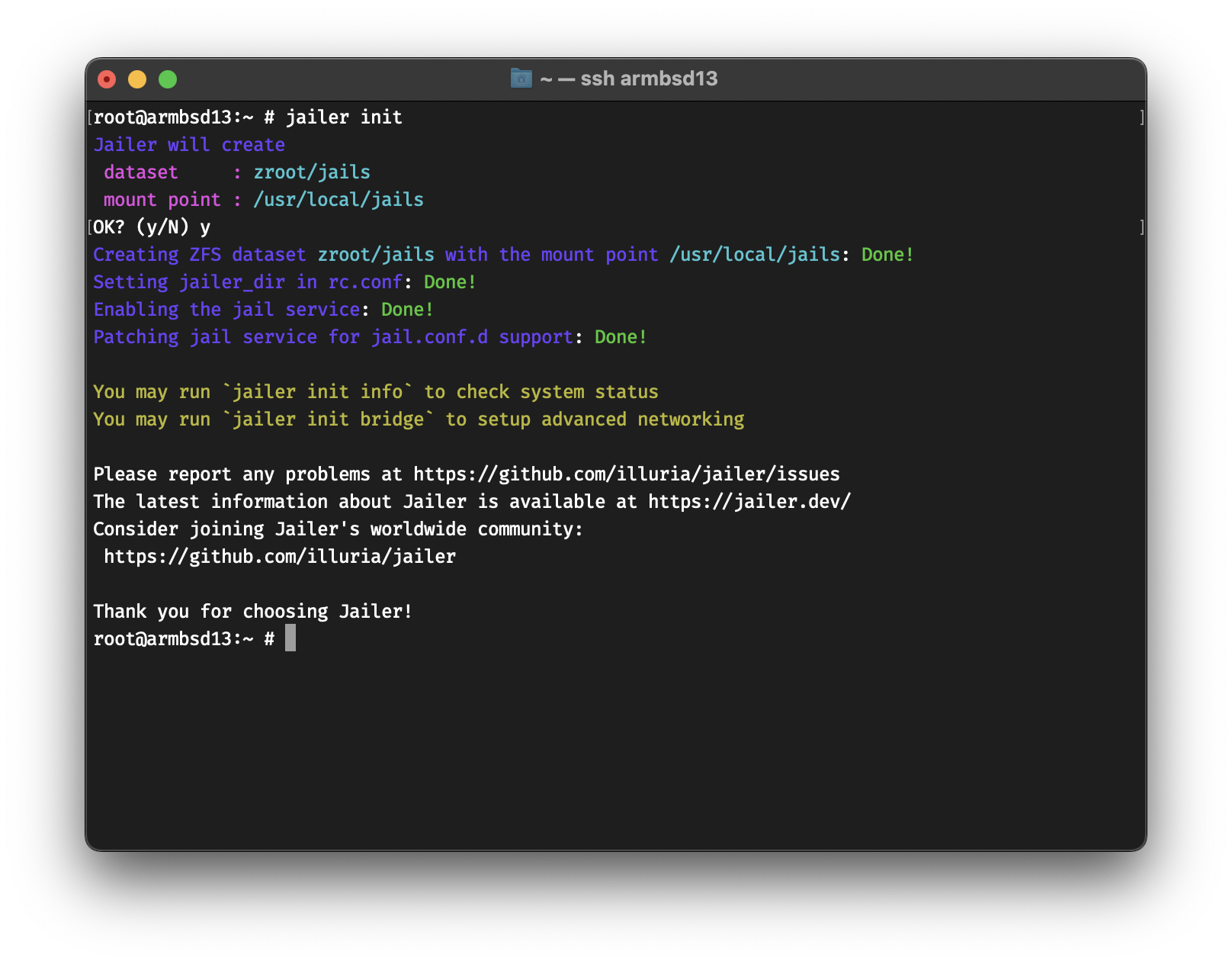
At this point, you can create a Jail
jailer createYou should get the following →
root@armbsd13:~ # jailer create
Fetching 13.1-RELEASE: Done!
Creating 99d6c13c: Done!
By default, Jailer will fetch a base image if it’s not available. You can list all images by doing
root@armbsd13:~ # jailer image list
  13.1-RELEASE
Fetching might take a while, if you know a mirror that’s closer to you, you can set the
FreeBSD_mirrorvariable to that. e.g.setenv FreeBSD_mirror "https://mirror.yandex.ru/freebsd/"withtcshorexport FreeBSD_mirror="https://mirror.yandex.ru/freebsd/"with/bin/sh
You can list and download other images as well
root@armbsd13:~ # jailer image list remote
  12.3-RELEASE
  12.4-RELEASE
  13.0-RELEASE
  13.1-RELEASE
root@armbsd13:~ # jailer image fetch 13.0-RELEASE
Fetching 13.0-RELEASE: Done!
To list all the Jails, you can do jailer list. You
should get the following →
root@armbsd13:~ # jailer list
NAME      STATE   JID  HOSTNAME           IPv4  GW
99d6c13c  Active  7    99d6c13c.armbsd13  -     -
This means that Jail 99d6c13c is using an
inherited network stack, which is NOT
SECURE for production use. In the next part, we will configure
Jails with restricted and isolated network stacks.
You can attach your Jail to an external interface as well. To attach
a Jail to the interface vtnet0 with the IP address
192.168.64.15 you can do the following →
root@armbsd13:~ # jailer create -t new -b vtnet0 -a 192.168.64.15 www0
Creating www0: Done!
root@armbsd13:~ # jailer list
NAME      STATE   JID  HOSTNAME           IPv4           GW
99d6c13c  Active  7    99d6c13c.armbsd13  -              -
www0      Active  9    www0.armbsd13      192.168.64.15  -
Unlike 99d6c13c, which has an inherited network stack,
the Jail www0 has a restricted network stack, we can see
that by logging into the Jail and running ifconfig →
root@armbsd13:~ # jailer console www0
root@www0:~ # ifconfig
vtnet0: flags=8863<UP,BROADCAST,RUNNING,SIMPLEX,MULTICAST> metric 0 mtu 1500
    options=80028<VLAN_MTU,JUMBO_MTU,LINKSTATE>
    ether 52:88:80:9b:bb:00
    inet 192.168.64.15 netmask 0xffffffff broadcast 192.168.64.15
    media: Ethernet autoselect (10Gbase-T <full-duplex>)
    status: active
lo0: flags=8049<UP,LOOPBACK,RUNNING,MULTICAST> metric 0 mtu 16384
    options=680003<RXCSUM,TXCSUM,LINKSTATE,RXCSUM_IPV6,TXCSUM_IPV6>
    groups: lo
The Jail www0 is not aware of any other IP addresses,
but can see the network interfaces. It also has the same networking
that’s available on the host’s vtnet0 interface. If the
host has internet access, so does www0
root@www0:~ # ping -c 1 bsd.am
PING bsd.am (37.252.73.34): 56 data bytes
64 bytes from 37.252.73.34: icmp_seq=0 ttl=57 time=44.368 msJailer can auto-configure the host to have advanced networking. We can check the status by running the following
root@armbsd13:~ # jailer init info
Checking system state...
 jail_enable in rc.conf  ==> YES!
 patched rc.d/jail file  ==> YES!
Checking jailer state...
 jailer_dir in rc.conf   ==> YES!
 jailer_dir is define to ==> zfs:zroot/jails
 Jailer ZFS dataset      ==> zroot/jails
 Jailer ZFS mountpoint   ==> /usr/local/jails
Checking network status...
 bridge0 in rc.conf      ==> NO :(
  If you want Jailer to auto-configure bridge interfaces, run `jailer init bridge`
We can run jailer init bridge to setup internal bridge
networking between Jails and the host
Jailer will configure
 network interface : bridge0
 network address   : 10.0.0.1/24
OK? (y/N) y
Configuring interface bridge0 with IP address 10.0.0.1/24: Done!

You may run `jailer init dhcp` to setup DHCP server for bridge0
At this point, we can run a VNET (Virtualized Network) Jail that uses
an epair to attach to bridge0 (we call that an
eb Jail for epair/bridge)
root@armbsd13:~ # jailer create -t eb -a 10.0.0.10
Creating fd1dafdc: Done!
root@armbsd13:~ # jailer list
NAME      STATE   JID  HOSTNAME           IPv4           GW
99d6c13c  Active  7    99d6c13c.armbsd13  -              -
fd1dafdc  Active  11   fd1dafdc.armbsd13  10.0.0.10/24   10.0.0.1
www0      Active  9    www0.armbsd13      192.168.64.15  -
To assign IPs automatically on VNET interfaces, you can setup a DHCP
server. No worries! Jailer can handle that for you as well! It will
install OpenBSD’s dhcpd, setup dhcpd.conf and
the needed devfs.rules for Jails.
root@armbsd13:~ # jailer init dhcp
Jailer will
 - Install OpenBSD's dhcpd from packages.
 - Setup dhcpd.conf.
 - Create /etc/devfs.rules for VNET Jails.
OK? (y/N) y
Setting up dhcpd, dhcpd.conf and devfs.rules: Done!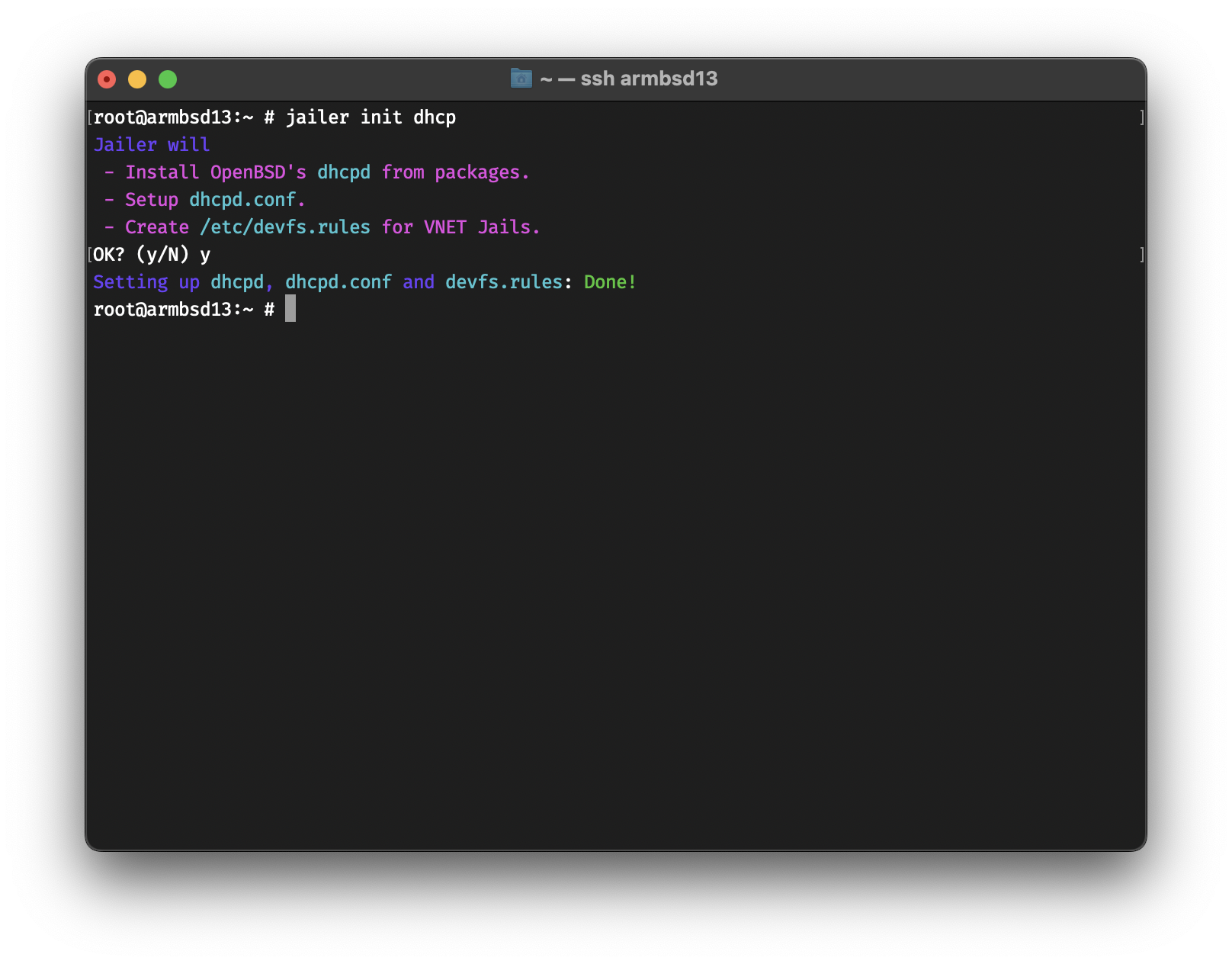
Now you can create a VNET Jail that uses DHCP.
root@armbsd13:~ # jailer create -t eb app0
Creating app0: Done!
root@armbsd13:~ # jailer list
NAME      STATE   JID  HOSTNAME           IPv4           GW
99d6c13c  Active  7    99d6c13c.armbsd13  -              -
app0      Active  12   app0.armbsd13      10.0.0.2/24    10.0.0.1
fd1dafdc  Active  11   fd1dafdc.armbsd13  10.0.0.10/24   10.0.0.1
www0      Active  9    www0.armbsd13      192.168.64.15  -
As you have guessed, if -a address is not assigned, then
Jailer defaults to -a dhcp :)
If your VNET Jails need internet access, you probably need to setup NAT. Here’s the easiest way to do that
# Enable routing
echo 'net.inet.ip.forwarding=1' >> /etc/sysctl.conf
service sysctl restart
# Enable pf
sysrc pf_enable="YES"
# Get default interface
default_interface=$(route get default | grep interface | cut -w -f 3)
# Generate the configuration and start pf
echo "nat on $default_interface from 10.0.0.0/24 to any -> ($default_interface)" >> /etc/pf.conf
service pf start
If you get a message that says
Illegal variable namethen you’re probably usingtcsh. You can jump into/bin/shby runningsh:)
Jailer has the
natandrdrsubcommands to manage NAT and Redirection, but it will be integrated in the next release.
Now, you can login into your VNET Jail and access the internet.
root@armbsd13:~ # jailer console app0
root@app0:~ # host -t A bsd.am
bsd.am has address 37.252.73.34To stop a Jail
root@armbsd13:~ # jailer stop www0
Stopping www0: Done!
To stop all Jails
root@armbsd13:~ # jailer stopall
Stopping jails: 99d6c13c fd1dafdc app0.
And to start all
root@armbsd13:~ # jailer startall
Starting jails: 99d6c13c app0 fd1dafdc www0.
To destroy a Jail
root@armbsd13:~ # jailer destroy www0
Destroying www0: Done!
If you get an error message that says resource is busy, then it probably is. You can force destroy by doing
jailer destroy -f jailname.
ZFS Snapshots are some of its best features. You can snap a Jail to 1) rollback in case something fails 2) create a new Jail base on it.
Create a snapshot of app0 named prod
root@armbsd13:~ # jailer snap app0@prod
Taking the snapshot app0@prod: Done!
Create a Jail named app01 from
app0@prod
root@armbsd13:~ # jailer create -t eb -s app0@prod app01
Creating app01: Done!
In the coming releases, Jailer will have the ability to deploy ZFS Clones as well, which would allow you to save storage space.
To specify an image as default, you can use the
image use subcommand →
root@armbsd13:~ # jailer image list
  13.0-RELEASE
  13.1-RELEASE
root@armbsd13:~ # jailer image use 13.1-RELEASE
root@armbsd13:~ # jailer image list
  13.0-RELEASE
* 13.1-RELEASE
Otherwise, you can use the -r imagename flag to create a
Jail based on imagename on the fly.
As mentioned above, it’s not a good idea to use inherited network
stack on production. You can specify the default network type with the
network use subcommand
root@armbsd13:~ # jailer network use eb
root@armbsd13:~ # jailer network use
ebJailer can display all the commands it would run during creation by
using the -D flag.
root@armbsd13:~ # jailer create -D db0
jail.conf file =>
# vim: set syntax=sh:
exec.clean;
allow.raw_sockets;
mount.devfs;

db0 {
  $id             = "6";
  devfs_ruleset   = 10;
  $bridge         = "bridge0";
  $domain         = "armbsd13";
  vnet;
  vnet.interface = "epair${id}b";

  exec.prestart   = "ifconfig epair${id} create up";
  exec.prestart  += "ifconfig epair${id}a up descr vnet-${name}";
  exec.prestart  += "ifconfig ${bridge} addm epair${id}a up";

  exec.start      = "/sbin/ifconfig lo0 127.0.0.1 up";
  exec.start     += "/bin/sh /etc/rc";

  exec.stop       = "/bin/sh /etc/rc.shutdown jail";
  exec.poststop   = "ifconfig ${bridge} deletem epair${id}a";
  exec.poststop  += "ifconfig epair${id}a destroy";

  host.hostname   = "${name}.${domain}";
  path            = "/usr/local/jails/db0";
  exec.consolelog = "/var/log/jail/${name}.log";
  persist;
}
ZFS commands =>

  (zfs send zroot/jails/image/13.1-RELEASE@base |
   zfs recv zroot/jails/db0)

Resolver commands =>
  cp /etc/resolv.conf /usr/local/jails/db0/etc/resolv.conf
Network setup commands =>
  echo "ifconfig epair6b ether 58:9c:fc:a1:8a:3a" > /usr/local/jails/db0/etc/start_if.epair6b
  sysrc -q -f /usr/local/jails/db0/etc/rc.conf ifconfig_epair6b="SYNCDHCP"
Post-Installation =>
  sysrc -q -f /usr/local/jails/db0/etc/rc.conf sendmail_enable="NONE" syslogd_flags="-ss"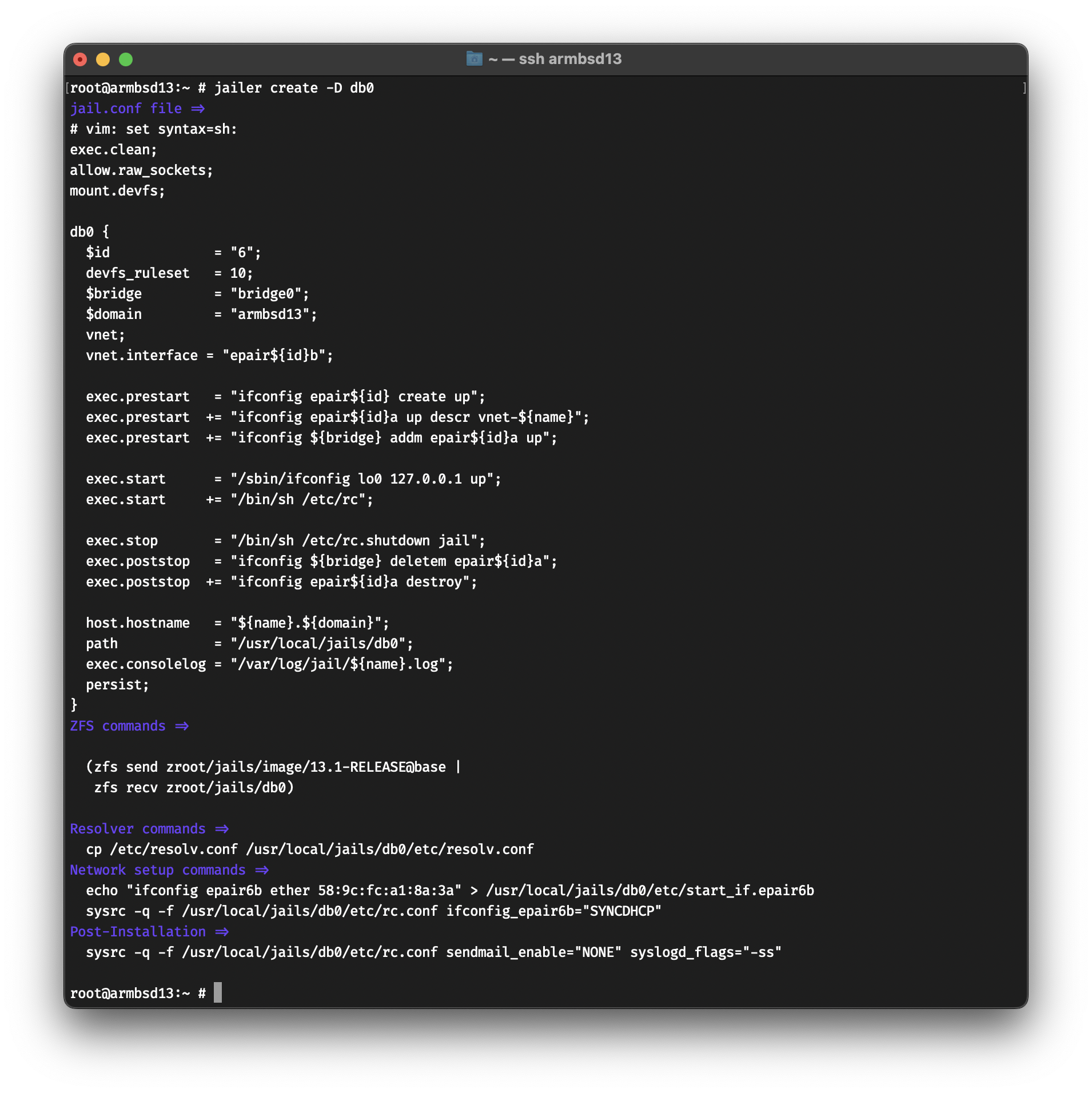
The
-Dflag is named after Dan Langille, who requested this feature during our FreeBSD calls.
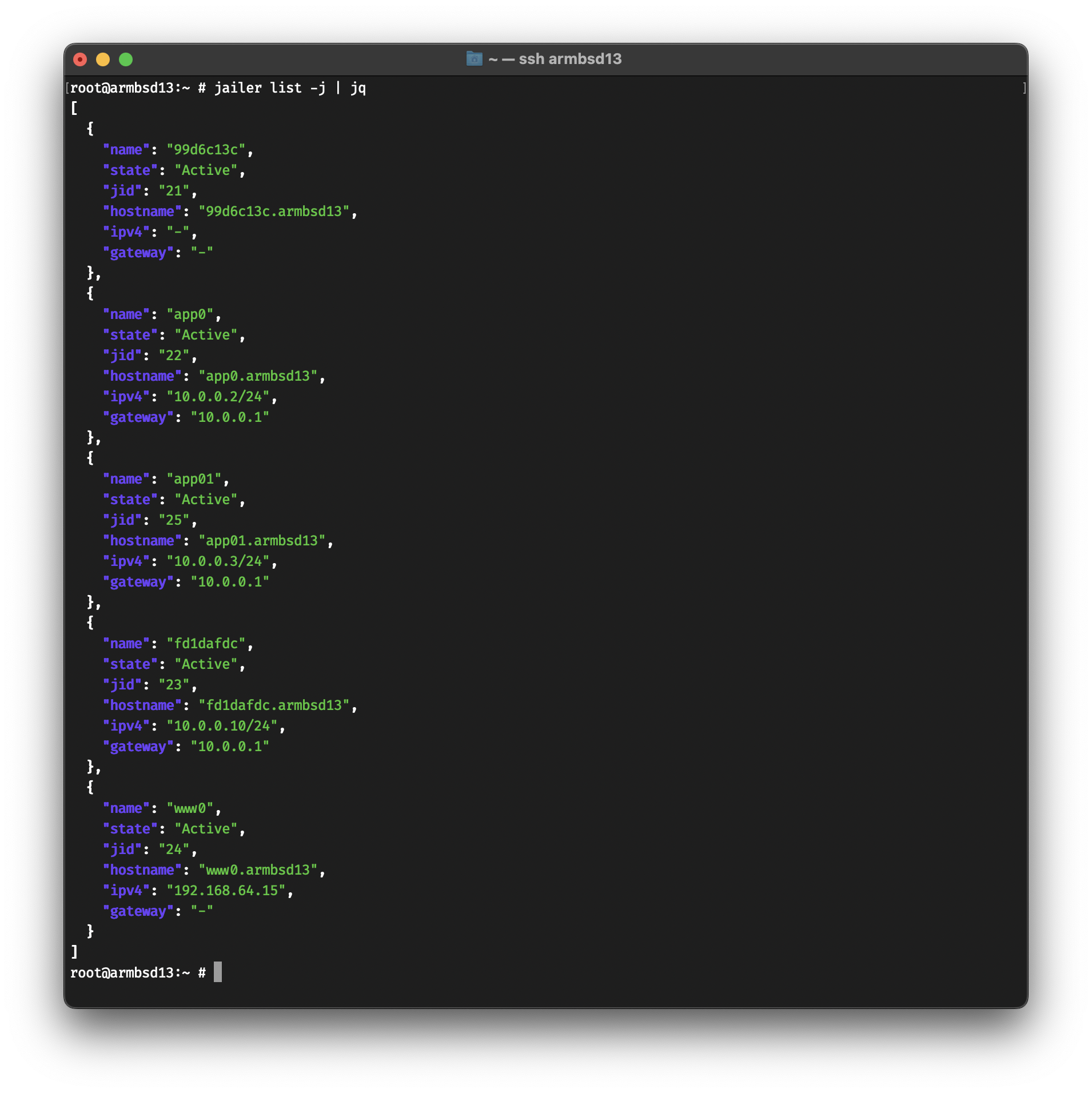
Some subcommands support JSON output.
root@armbsd13:~ # jailer list -j | jqFor Reason or Ableton users, the exclusive pack often includes Rex2 files of the producer’s own drum programming—chaotic, swung, and impossible to replicate with quantization.
Sub bass recorded through a broken guitar pedal. These hits have unpredictable harmonic overtones that sit perfectly under a heavy kick drum.
If you manage to secure the download, here is what veterans report finding in the latest exclusive folder structure:
In the neon-drenched corridors of the digital underground, the name NaomiBootBin wasn't just a username; it was a legend. While others traded in common exploits and leaked databases, Naomi dealt in "The Exclusives"—bespoke pieces of code that could bypass the most ironclad security or render a digital footprint invisible.
The rumors started on an encrypted board: "NaomiBootBin Download Exclusive: The Chronos Key."
Leo, a freelance data-thief struggling to pay off a debt to a local syndicate, watched the timer count down. The "download exclusive" was a one-time event. No mirrors, no re-uploads. In thirty seconds, the most powerful decryption tool ever written would be available for exactly one minute.
"Five... four... three..." Leo whispered, his fingers hovering over the macro he’d written to snag the packet. The link flashed blue. [DOWNLOAD EXCLUSIVE].
He clicked. The progress bar crawled. 12%... 45%... 89%. At 99%, the screen flickered. A chat box opened, overriding his terminal.
NaomiBootBin: Do you know what happens when everyone has the key?
Leo froze. The download finished. A file named CHRONOS_FINAL.exe sat on his desktop, pulsing with a faint, simulated glow. Leo_99: The locks don't matter anymore.
NaomiBootBin: Exactly. But this isn't a tool, Leo. It's a mirror.
Leo executed the file. Instead of a decryption interface, his webcam light snapped on. The screen filled with a live map of the city, dotted with thousands of blinking red icons—every person who had just clicked the "Exclusive" link.
The download wasn't a gift; it was a beacon. Naomi hadn't given them a key to the world; she had given the world a way to find them.
"The ultimate exclusive," Leo muttered, watching the blue lights of the authorities already turning onto his street on the digital map. "The exclusive right to be caught."
Naomi Bootbin Download Exclusive: A Comprehensive Guide naomibootbin download exclusive
Are you a gamer or a console enthusiast looking for a reliable and efficient way to update your Naomi arcade console? Look no further than the Naomi Bootbin download exclusive. In this article, we'll provide you with a comprehensive guide on what Naomi Bootbin is, its benefits, and how to download and install it on your console.
What is Naomi Bootbin?
Naomi Bootbin is a popular boot loader software designed for the Sega Naomi arcade console. The Naomi console is a powerful and widely used arcade platform that requires regular updates to ensure optimal performance and compatibility with the latest games. Naomi Bootbin is a specialized software that enables users to easily update their console's firmware and kernel, ensuring a smooth and seamless gaming experience.
Benefits of Using Naomi Bootbin
There are several benefits to using Naomi Bootbin, including:
How to Download Naomi Bootbin Exclusively
Downloading Naomi Bootbin exclusively is a straightforward process that requires a few simple steps:
Step-by-Step Installation Guide
Here is a step-by-step guide to installing Naomi Bootbin on your console:
Troubleshooting Common Issues
While downloading and installing Naomi Bootbin is generally a straightforward process, users may encounter some common issues. Here are some troubleshooting tips:
Conclusion
In conclusion, the Naomi Bootbin download exclusive is a must-have for any Naomi arcade console owner. By providing easy firmware updates, improved performance, and increased compatibility, Naomi Bootbin ensures a smooth and seamless gaming experience. By following the steps outlined in this article, users can easily download and install Naomi Bootbin on their console and take advantage of its exclusive features. Whether you're a gamer or a console enthusiast, Naomi Bootbin is an essential tool for optimizing your Naomi console's performance.
The Naomi Bootbin: A Treasure Trove for Sega Dreamcast Enthusiasts For Reason or Ableton users, the exclusive pack
For Sega Dreamcast enthusiasts, the Naomi Bootbin is a term that resonates with excitement and nostalgia. The Naomi Bootbin, short for "Naomi Boot Binary," is a crucial component in the world of Dreamcast emulation and game development. In this story, we'll delve into the significance of the Naomi Bootbin and explore the exclusive aspects of downloading it.
What is the Naomi Bootbin?
The Naomi (New Arcade Machine for Interactive Entertainment) is a arcade board developed by Sega, which was later used in the Dreamcast console. The Naomi Bootbin is a binary file that contains the bootloader and firmware necessary to initialize the Naomi arcade board. This file is essential for loading games and applications on the Dreamcast, as well as for emulating the console on modern devices.
The Importance of the Naomi Bootbin
The Naomi Bootbin plays a vital role in the Dreamcast ecosystem. It provides a bridge between the console's operating system and the games, allowing them to run smoothly. Without the Naomi Bootbin, Dreamcast games would not be able to load, and emulation would not be possible.
Downloading the Naomi Bootbin: An Exclusive Opportunity
For enthusiasts and developers, downloading the Naomi Bootbin can be a thrilling experience. However, it's essential to note that this file is copyrighted by Sega, and its distribution is restricted. As a result, downloading the Naomi Bootbin from unauthorized sources can be risky and potentially illegal.
For those interested in obtaining the Naomi Bootbin, there are a few exclusive options:
Precautions and Best Practices
When downloading the Naomi Bootbin, it's essential to exercise caution and follow best practices:
Conclusion
The Naomi Bootbin is a vital component in the world of Sega Dreamcast emulation and game development. While downloading this file can be an exclusive opportunity for enthusiasts and developers, it's essential to approach it with caution and respect for copyright laws. By understanding the significance of the Naomi Bootbin and following best practices, Dreamcast fans can continue to enjoy and develop games for this iconic console.
The Sega NAOMI (New Arcade Operation Machine Idea) was released in 1998 as a powerhouse for arcade gaming, sharing much of its architecture with the Sega Dreamcast
. To preserve and play these games today, enthusiasts use emulators such as naomi_boot.bin file is essential because: System Initialization How to Download Naomi Bootbin Exclusively Downloading Naomi
: It performs the initial hardware checks and prepares the system to load game data from either cartridges or GD-ROMs. Bios Diversity
: Different versions of the boot bin exist (e.g., Japan, USA, Export) which can dictate the region-locked settings or language of the games being emulated. Netbooting Capabilities
: In real hardware setups, modified BIOS files allow users to "netboot" games—sending game data from a PC directly to the arcade hardware via Ethernet, bypassing the need for original physical media. Emulation Setup
For most modern emulators, the setup follows a specific path: naomi_boot.bin file (often extracted and renamed from epr-21576g.ic27
) must be placed in the emulator's "system" or "dc" (Dreamcast) folder. Naming Convention : While some emulators look for specific zip files like , others require the raw file specifically named naomi_boot.bin to recognize it as the primary bootstrap. Multi-BIOS Options
: Advanced "multibios" versions are available that allow users to switch regions via DIP switch settings (e.g., Japan, USA, Korea) without swapping the physical chip or file. Legal and Exclusive Access
Because the BIOS contains proprietary code owned by Sega, it is not bundled with open-source emulators. It is typically considered "exclusive" content found on specialized arcade preservation sites or community forums like Arcade Projects
. Users are generally expected to dump this file from their own physical hardware to remain within legal boundaries. step-by-step guide
on how to configure this file within a specific emulator like Naomi Boot Bin Bios - Google Groups
Draft Report – “naomibootbin” – An Overview of Availability and Context
Forget clean 808s. These kicks sound like they were recorded inside a running car engine. Snares have a metallic "ring" that cuts through a mix without any added reverb. Hats are glitchy, often bit-crushed to 12-bit or lower.
What it is
Important legal/ethical note
The term NaomiBootBin refers to a specific type of bootloader binary file used in the Sega NAOMI (New Arcade Operation Machine Idea) arcade hardware ecosystem. A "Download Exclusive" in this context typically denotes a proprietary or restricted binary file that is flashed directly to the NAOMI’s firmware or a DIMM board (Data Interface Memory Module) to enable functionality not found in standard consumer releases.
Naomi has built a reputation for "dead simple" deployment. While other creators pack their downloads with bloatware or broken dependencies, the BootBin philosophy is minimalism. If it doesn’t run on bare metal or open instantly in your editor, it doesn’t go in the bin.
You are more than welcome to contribute to Jailer, whether it is on code, doc, or just to fix a typo. Please open an issue if you find a bug, or a PR if you have fixed one. All code changes must be reviewed and tested.
In January of 2021, @antranigv and @riks-ar had a bet whether @antranigv is able to
rewrite @illuria’s ZFS, Jail and
ifconfig(8) wrappers from Elixir to Shell. The deal was if
@antranigv failed
to do that in 2 weeks, then @riks-ar gets @antranigv’s desk and chair (which was the
best one in the office at the time). If @antranigv succeeded, then he had the
right to open-source the Shell program at any time in the future.
On October 20th 2022, @illuria open-sourced Jailer by pushing the code to GitHub :)