 |
FREE !!! |
|
|
|
FREE !!! |
|
*** Click Here to checkout the NEW OFFICIAL website for Monitor Dot! ***
10/24/22 - Story
behind this
app:
For a long time there was a popular app that was free to use by everyone. Then
recently the app suddenly displayed a message stating that a mandatory update
was required.
This update basically changed the app into a trial version that expired within
hours after installing it. To continue using the app, the company now wants a
monthly fee!
So, because they got greedy and
decided to screw over their users by disabling everyone's app without notice, I
decided to return the favor by creating my own app and giving it away for
FREE!*
Their loss, your gain.
...and please enjoy my
retro webpage design :)
Check out TechDoctorUK's review of VPN Monitor Dot:
How will VPN Monitor Dot help protect my Privacy?
VPN's help protect your privacy when you are on the internet. But they can only
do that when they are working properly.
Even if a VPN has it's "Auto-Start" feature enabled,
there is no guarantee that it will properly run 100% of the time when you power
on/bootup your device.
And even when a VPN is running properly, it may
suddenly disconnect or crash even hours later without giving you any warning!
This is why using VPN Monitor Dot
is so important
VPN Monitor Dot will continuously monitor your VPN connection and let you know it's working by displaying a status "Dot" in the top right corner of your screen...
When you ARE being protected by your VPN, the app will slowly flash a GREEN dot:
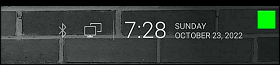
But when you are NOT being protected by your VPN (because the VPN is not turned on or it crashed), then the app will slowly flash a RED dot:

----- VPN Monitor Dot vs. the
"Other Guy's" app -----
1) Why does the "Other Guy's" app need
Read/Write Access Permission to my device's photo/files Storage?
I have no idea why the other app
needs it, but keep in mind
that because their
app also has internet access,
it could theoretically add/delete or
send your files to a remote cloud server without your knowledge or approval!
VPN Monitor Dot does not need this potentially dangerous permission
in order to fully protect you :)
2) VPN Monitor Dot was designed in a highly
efficient way to minimize it's memory/resource footprint.
Just see the
difference for
yourself:
|
The Other Guy's ---- vs. ---- VPN Monitor Dot APK
size: |
Size does matter, and being x100
TIMES
BIGGER is NOT a good thing!
Why is Smaller Better?
Because VPN Monitor Dot uses very little resources when running, it has a much higher chance of
staying loaded in memory whenever
Android decides to start killing processes to free up
resources.
That means VPN Monitor Dot will be able to stick around to help keep you protected.
The last thing you want is for your VPN to crash and never know it because the
monitoring app was killed!
IMPORTANT NOTES:
|
Installation:
|
Need additional help with installation?
Click here
for an easy tutorial from Troypoint.com!
The KEYENCE LV-N11N is a robust, field-proven amplifier, but its advanced functions—like the interference prevention algorithm for close-stacked units—are impossible to use without the correct PDF. Always source your manual directly from KEYENCE’s verified portal. A 5-minute registration saves hours of troubleshooting.
Need a quick link? Contact KEYENCE technical support via live chat on their website. Request "Document Number: IM-LV-N11N-E-2.0" for the most current English PDF.
Disclaimer: This article is for informational guidance. Always follow safety procedures and local electrical codes when installing automation equipment.
From the official verified manual, here are the non-negotiable specs:
| Feature | Verified Specification | Common Misprint (Unverified) | | :--- | :--- | :--- | | Supply Voltage | 12 to 24 VDC ±10% | Often listed as 24V only (Incorrect) | | Current Consumption | 45 mA max (Normal mode) | 50 mA (Overstated) | | Response Time | 50 µs (Fine), 250 µs (Turbo) | Often missing "Fine" vs "Turbo" distinction | | Output Type | Open-collector NPN (30V, 100mA max) | Sometimes listed as 200mA (Unsafe) |
Before we dive into the download process, let's address why verification is non-negotiable. keyence lv n11n user manual pdf verified
Keyence LV-N11N is a main unit NPN amplifier for multi-purpose digital laser sensors, often requiring the LV-N Series User's Manual (PDF)
for correct wiring and setup. You can find the verified official documentation on the Keyence LV-N11N product page Keyence India Technical Summary 2-output NPN amplifier. Response Time: Ranges from 80 µs (High Speed) to 16 ms (Mega). Expansion: Supports up to 17 total units connected on a DIN rail. Requires 10 to 30 VDC. Keyence India Wiring & Setup Highlights Based on standard LV-N series instructions and technical guides from NEX Instrument Inc Wiring Scheme: 0V (Ground). Black/White: Control Outputs 1 and 2 (NPN open collector). External Input. Calibration: button for single-touch sensitivity configuration or the
button for two-point calibration (workpiece vs. no workpiece). Output Modes:
Easily toggle between Light-ON and Dark-ON using the manual buttons. Keyence India Verification and Support
For those needing detailed programming guides (e.g., setting "DATUM" or "Area" modes), the Keyence LV-N10 Series manuals hosted by third parties like ManyManuals can provide quick reference, but the Keyence official site The KEYENCE LV-N11N is a robust, field-proven amplifier,
remains the most reliable source for firmware-specific data. specific configuration , such as setting up the on-delay/off-delay timers? Amplifier, Cable, Main unit, NPN - LV-N11N | KEYENCE India
The Keyence LV-N11N Go to product viewer dialog for this item.
is a main unit NPN amplifier for the LV-N series digital laser sensors. Below is the verified documentation and essential technical specifications for this model. Verified Manuals & Documentation
Official Product Page & Downloads: The most reliable source for the full user manual, CAD data, and data sheets is the Official Keyence LV-N11N Model Page. LV-N10 Series User's Manual
: This comprehensive 112-page guide covers all hardware functions, including the Download 112-page Manual (ManyManuals). Disclaimer: This article is for informational guidance
Quick Start Guide: A shorter 12-page version focusing on basic setup and calibration. Download 12-page Quick Start (ManyManuals) Direct PDF (SiliconExpert): A direct link to the instruction sheet. Key Technical Specifications is characterized by the following features: Output Type: NPN open collector 30 V. I/O Configuration: 2 control outputs and 1 external input.
Response Time: Selectable speeds ranging from 80 µs (HIGH SPEED) to 16 ms (MEGA).
Calibration Features: Includes the DATUM function which automatically adjusts for dirt or debris to maintain stable operation. Installation: Mounts on a standard DIN rail. Quick Calibration Reference FS-N10 Series - emac stores
Elias closed the tablet. The verified PDF had provided exactly what he needed:
The story of the LV-N11N isn't just about a sensor; it's about the manual acting as the bridge between a complex piece of Japanese engineering and the practical reality of a factory floor. Without the verified document, Elias would have been working in the dark. With it, he was the master of the machine.